How We Analyze Content Performance With Claude Code, Storyblok, and PostHog

Storyblok is the first headless CMS that works for developers & marketers alike.
"Which article drove the most signups last month?"
This sounds like a simple analytics question, one you could answer with a proper setup. In reality, you need to push content metadata into custom dimensions via a data layer, wire it to conversion events, and configure the right segments. That's a lot of upfront instrumentation work that requires you to decide what to track before you track it. And even with a solid setup, answering a follow-up questions, like “break that down by author” or “why does that article have 100% direct traffic?” require deep analysis.
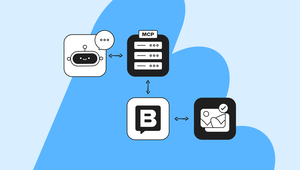
At Storyblok, we solve this by connecting Storyblok's MCP server with PostHog's, so Claude can answer these questions directly, in conversation, without the instrumentation overhead.
PostHog is a product analytics platform with an MCP server that exposes behavioral data: who read something, who signed up, which pages converted. Storyblok now provides an MCP server too, exposing structural data: a story’s content type, tags, author, publication status, and more. With both connected to an MCP-compatible AI client, you can query either system in natural language, in the same conversation, and keep asking follow-up questions until you gather actual insights rather than raw data.
This post describes how we connect these servers to Anthropic’s Claude Code, how we use it, and what we built around it to make the result reliable and fast.
The setup
Both tools are fully hosted, remote servers that require no local installation.
- Storyblok MCP gives you the structural layer of your content: stories, content types, tags, authors, publication status, schema, and assets.
- PostHog MCP gives you the behavioral layer: pageviews, sessions, events, funnels, and HogQL queries.
To add Storyblok to Claude Code, use the following command:
claude mcp add --transport http Storyblok https://mcp.labs.storyblok.com/mcp \
  --header "Authorization: Bearer your_token"
To add PostHog to Claude Code, use the PostHog wizard:
npx @posthog/wizard mcp addThis connects to PostHog's hosted MCP server at mcp.posthog.com and handles authentication via OAuth, automatically routing to the correct data region (US or EU) based on your account. For setup options and manual configuration, check the PostHog MCP documentation.
With both servers connected, Claude can query either platform in the same conversation and reason across the results.
The core workflow—querying two MCP servers in natural language within a single conversation—works with any MCP-compatible AI client. The reliability layer described later in this post (CLAUDE.md, skills, and memory files) is Claude Code-specific, but the cross-source querying itself isn't.
The workflow in practice
We started with the same question from the introduction: "Which article drove the most signups last month?"
Our goal was to find out which article demonstrated the best conversion rate.
Here's what that looks like in practice. Two prompts, one conversation:
You: "List all published articles from the last 30 days, sorted by publication date. Give me the name, slug, content type, tags, and author."

Agent: [calls Storyblok MCP → listStories]
  parameters: {
    is_published: true,
    sort_by: "first_published_at:desc",
    fields: ["name", "slug", "content_type", "tag_list", "last_author"]
  }
  // then keeps only stories first published in the last 30 days
  // (Claude computes the cutoff date)

  Name                    Slug                      Type
  Getting started w/ MCP  /tutorials/getting-start… Tutorial
  Why headless CMS wins   /blog/headless-cms-wins…  Blog post
  ...                     ...                       ...

You: "Now cross-reference with PostHog - grouped by content type, which of these drove the most signups in the last 30 days?"

Agent: [calls PostHog MCP → HogQL query on pageview + signup events, joined by slug]

  Tutorials: ~3.8% signup rate
  Blog posts: ~2.1% signup rate
The second prompt is the part that matters, and neither tool could answer it alone: Storyblok has the content type, PostHog has the signup event. The join happens in the conversation, on live data, within seconds.
The combined view also catches things you wouldn't know to look for. In our own setup, PostHog flagged an article with 100% direct traffic and no referrers, which is unusual. A Storyblok MCP cross-reference resolved it: the article wasn't published yet, and the views were internal CMS preview sessions. With only one source, it might have stayed invisible.
For a detailed walkthrough of everything the Storyblok MCP can do - listing and filtering stories, creating content, uploading assets - check Using the Storyblok MCP Server: A Practical Guide.
What we added to make it reliable
Fast isn't enough. Left unconfigured, Claude will query whichever PostHog project was most recently mentioned, assume today's date, and pull content status from memory rather than checking live. Each of these has produced wrong output at least once, so we added four layers to prevent them.
Configuration (CLAUDE.md)
CLAUDE.md is a Markdown file in your project root that Claude reads on every invocation, before any prompt. In this case, it holds three items: what to query, the URL patterns, and the safety rules that matter most.
## Content Analytics Setup

- PostHog project: [your project name] (ID: your_project_id)
- Storyblok space ID: your_space_id
- Blog URL patterns: /tutorials/ = tutorials, /blog/ = blog posts
  Use these when joining PostHog pageview data with Storyblok slugs

## Rules

1. Always verify the date range before running queries — run `date` first.
   Never assume the current date.
2. Check publication status before interpreting traffic anomalies.
   Unusual patterns should always be cross-referenced with Storyblok.
Short and scoped instructions. Everything mentioned in the file is something Claude got wrong before.
Skill
The analysis itself is something you run repeatedly: weekly, monthly, after a campaign goes live. Packaging it as a skill means you can run the command /content-analysis instead of repeating the request every session.
Skills are Markdown files stored in .claude/skills/, but since we want to use this one as a command, we save it .claude/commands/. The filename becomes the command:
---
description: Analyze content performance across Storyblok and PostHog
---

Analyze content performance for the specified period (default: last 30 days):

1. Query Storyblok MCP for all published content. Get name, slug, content_type,
   tag_list, last_author.
2. Cross-reference with PostHog: for each slug, get pageviews and signup events
   in the same period, joined by URL.
3. Calculate signup rate by content type.
4. Flag anomalies: any article with unusual traffic patterns (e.g. 100% direct,
   no referrers) — cross-check publication status in Storyblok before reporting.
5. Report: top-performing content types by signup rate, anomalies found,
   recommended actions.
Run /content-analysis for the default 30-day window, or /content-analysis last-7-days to scope it. The Skill automatically picks up the project IDs and URL patterns from CLAUDE.md.
Memory files
CLAUDE.md holds a static configuration. Memory files capture what Claude learns over time.
Reference memories are Markdown files that store the environmental facts that Claude needs, but shouldn't have to re-derive in each session. For example, which project maps to which environment, how slugs are structured, which URL patterns distinguish content types:
---
name: content-url-patterns
description: URL patterns for content types — needed for PostHog slug joins
metadata:
  type: reference
---

/tutorials/ = tutorials
/blog/ = all blog posts (developer, marketing, partner)

Filter by tag for content type — not by URL path alone.
Use these when building PostHog queries that join on Storyblok slugs.
Feedback memories list corrections that prevent Claude from repeating previous mistakes:
---
name: report-update-rule
description: Only update numbers in weekly reports — never restructure layout
metadata:
  type: feedback
---

When updating analytics reports, change values only. Never add sections,
reorder metrics, or change formatting.

**Why:** Report structure was designed deliberately. Restructuring resets
decisions made for good reasons.
The compounding effect is real. Each correction becomes a memory that adds a layer of information. Several sessions in, the time it takes to get useful output drops significantly.
Guardrails
Guardrails are design decisions that determine where human judgment is essential. You can provide these instructions in CLAUDE.md or another Markdown memory file.
The heuristic is blast radius × staleness risk:
- Blast radius: how difficult would it be to undo the action? Updating a draft is low. Sending a Slack message to the whole team is high.
- Staleness risk: what's the probability that the AI has incorrect context? Querying live data is low. Providing content status based on last week's notes is high.
An action labeled as low on either axis can run autonomously, while those labeled as high require confirmation.
Action | Blast radius | Staleness risk | Rule |
|---|---|---|---|
Run an analytics query and update the dashboard | Low | Low | Autonomous |
Send a Slack update to the team | High | Low | Always ask first |
State a task's current status | Low | High | Check the tracker |
Schedule something for a specific date | Low | High | Verify with |
Add guardrails to CLAUDE.md's Rules section, or list them in a dedicated section:
## Guardrails

1. Never publish, unpublish, or delete a story through the Storyblok MCP
   without explicit confirmation. Content going live — or disappearing —
   is public and hard to walk back quietly.
What we learned
After running this workflow for several months, we discovered a few surprising findings:
It compounds. Early sessions required correction: wrong PostHog project, wrong date range, misread content type. Each correction became a memory, not a config fix. The setup time before getting useful output dropped significantly over time. The system didn’t become “smarter”; it just had more information.
Mistakes are visible. In this exact workflow, Claude pulled one query with the wrong date range, a single month instead of cumulative. The inconsistency was obvious immediately because the output was transparent and easy to verify. We trust an automation where failures are transparent and immediate, instead of aiming for something that never fails.
This workflow pays off on recurring questions. One-off analysis works fine, but the real value is in questions you return to, like content trends, signup attribution, or tag performance, where the setup cost amortizes over dozens of runs.
The setup takes about 30 minutes. Once it’s done, you can reuse the prompt over and over: ask the same question next month, against fresh data, without explaining it again, and it still works.