How to Fix the Hidden Cost of Flat MCP Tool Lists

Storyblok is the first headless CMS that works for developers & marketers alike.
If you've connected an AI assistant to an external service via MCP, you've probably seen the pattern: the server dumps every available API operation into the tool list, the model's system prompt balloons with hundreds of tool descriptions, and you start paying for tokens before the conversation even begins. The model picks the wrong tool half the time, occasionally hallucinates parameters, and you end up babysitting something that was supposed to be autonomous.
We ran into exactly this problem while building the Storyblok MCP server. The Management API has a large surface — stories, components, assets, datasources, workflows, releases, spaces, collaborators — and naively mapping each endpoint to a tool would have meant injecting a small novel into every prompt. So we didn't do that.
Instead, we landed on a set of design decisions that keep the tool footprint tiny, the token cost low, and the model's accuracy high. This post walks through the key architectural choices and explains why they matter.
The problem with one-tool-per-endpoint
The system prompt includes every MCP tool you register. The model reads all of them on every turn. If you have 200 endpoints, that's 200 tool descriptions — names, parameter schemas, descriptions — eating up your context window before the user has typed a single word.
The costs compound:
- Token spend goes up on every request, even if most tools are irrelevant.
- The model struggles to pick the right tool when it's choosing from a long, undifferentiated list.
We wanted to tackle that in a maintainable and scalable way.
Search → Describe → Execute
Instead of registering every operation as a tool, register three tools and let the model discover operations on demand.
The workflow has three steps:
- Search — The model calls
searchwith keywords for the task it wants to perform (for example, "publish story"). A scoring system then ranks results by relevance and returns the top candidates. - Describe — The model calls
describewith the chosen operationId. This returns the full parameter schema, request body structure, available response fields, and which execute tool to use. No guessing. - Execute — Armed with the exact schema, the model calls the appropriate
execute_...tool with the correct parameters.
This means the system prompt stays small regardless of how many API endpoints exist behind the server. The model only loads what it needs, when it needs it in the same way a developer browses API docs rather than memorizing the entire reference. If a tool was found and described in one session the model can also choose to reuse it without another "Search → Describe" roundtrip.
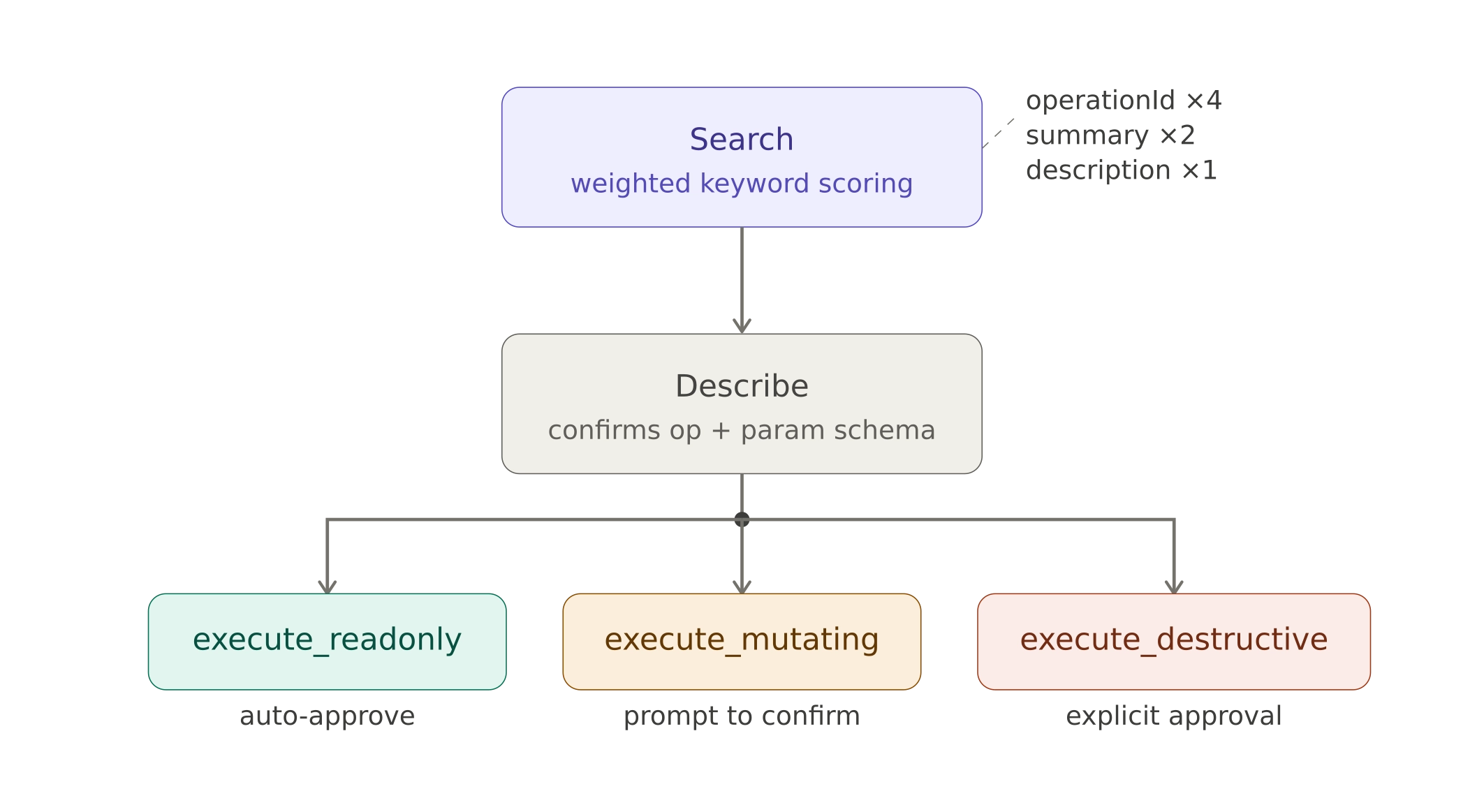
The multi-step discovery workflow: Search → Describe → Execute
Three execute tools, not one
Instead of a single generic execute tool, we split execution into three based on the operation's behavior:
execute_readonly— for GET operations that don't change anything.execute_mutating— for POST/PUT operations that create or update resources.execute_destructive— for DELETE operations.
Why does this matter? Because MCP clients can set different approval policies per tool. You might auto-approve all read-only calls, require a confirmation click for mutations, and demand explicit sign-off for destructive actions. This gives administrators granular control over what the AI can do autonomously versus what requires human approval — per session, per project, or globally.
Compare that to a single-execute approach where a content read and a space deletion flow through the same tool with identical permissions. The distinction matters for any team that cares about governance.
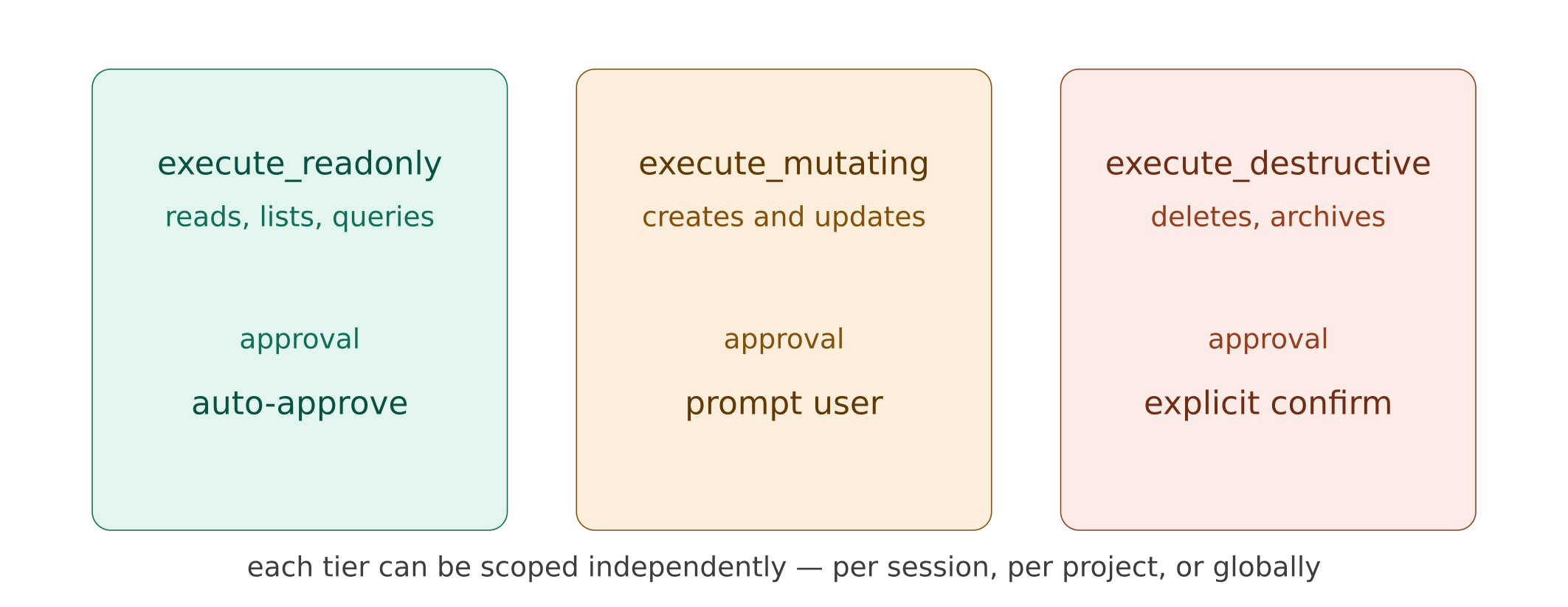
Three permission tiers: auto-approve reads, confirm mutations, require sign-off for destructive actions
Role-based access baked into the URL
Not everyone on a team should have the same level of access. A content editor doesn't need component management. A reviewer shouldn't be able to publish. The Storyblok MCP server accepts a role parameter directly in the server URL, and that role filters which operations are visible across the entire workflow.
If an operation is hidden from search, it can't be described or executed either. The filter is enforced at every layer. And because the role is embedded in the connection URL itself, it's transparent to the end user and resistant to accidental override — there's nothing for the model to "jailbreak" around.
This opens up practical scenarios: give your marketing team an MCP connection scoped to story operations, while developers get the full API surface. Same server, different URLs, different capabilities.
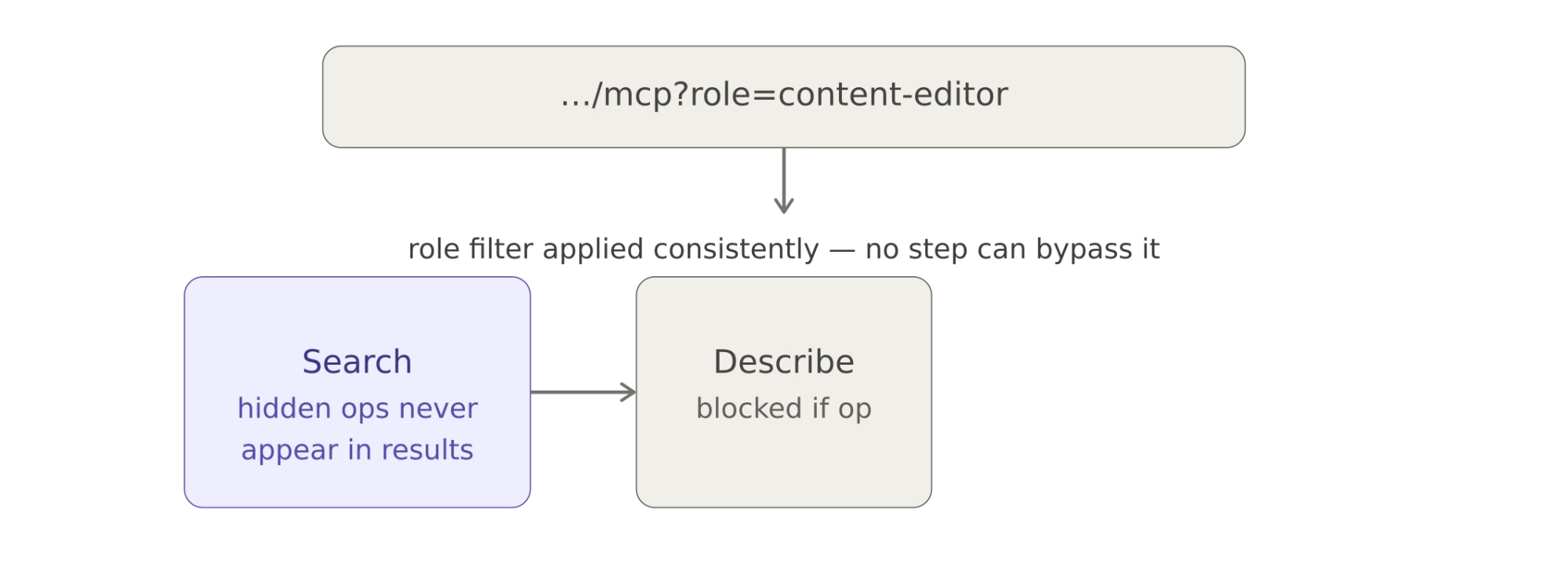
Role-based filtering: same server, different capabilities per team role
Reduce response tokens with field filtering
Token costs aren't just about what goes into the prompt — they're also about what comes back. A single "list stories" call can return massive payloads with full content trees, metadata, and translation data for every story in a space.
Execute tools which support it, accept an optional fields parameter that filters the response down to just what the model asked for. Need only slugs and names? Request stories.slug and stories.name. The model can assess the overview first, then fetch full details for specific items in a follow-up call. Nested field selection is supported by dot-notation.
This is a small feature that has an outsized impact on practical usage. Without it, a single API response can eat a significant chunk of the context window and push older conversation history out of scope.
Remote by default
A note on deployment: the Storyblok MCP server runs remotely, not as a local CLI tool. This might seem like a minor detail, but it removes a real adoption barrier. Cloud-based AI assistants and hosted agents can't install local tooling. A remote server means any MCP-compatible client can connect without local setup — no dependencies to install, no binaries to manage, no version mismatches across a team.
Deliver best practices to the model at runtime
Even with good tool discovery, there are domain-specific patterns that a general-purpose model won't know. For example, Storyblok's Management API doesn't support partial patching — if you want to update a single field on a story, you need to fetch the full content first, modify it, and save the entire object back. Get that wrong, and you'll wipe fields you didn't intend to touch.
The install_skills tool solves this by delivering Storyblok-specific operational skills to the model at runtime. These skills encode multi-step best practices — "fetch the full story before patching, then save" — so the model follows the correct workflow without the user having to spell it out in every prompt.
Not all MCP clients support native plugin or skill systems, so delivering skills through the MCP protocol itself makes this work everywhere. The model gets smarter about your specific domain without any prompt engineering on the user's side.
The full picture
These decisions aren't independent — they reinforce each other. The multi-step workflow keeps the tool count low. The three execute tools enable permission tiers. Role-based filtering scopes the entire pipeline. Field filtering keeps responses lean. Skills fill in domain knowledge. And remote deployment removes friction.
The result is an MCP server that exposes a large API surface through just seven tools, where the model discovers what it needs on the fly, operates within well-defined permission boundaries, and follows domain best practices automatically. Whether you're building your own MCP server or evaluating existing ones, these patterns are worth considering — the flat tool list approach might be the most obvious to implement, but it's rarely the cheapest to run.