Announcing @storyblok/angular v0.2.1

Storyblok is the first headless CMS that works for developers & marketers alike.
After shipping SDKs for many popular frameworks, we are adding another one to the family: @storyblok/angular.
We looked at how Angular and Storyblok projects are built and wanted to remove the friction developers faced when integrating the two. The result is an SDK that feels native to Angular: signals, standalone components, functional providers, and Angular naming conventions.
This package is stable and ready for production use. We do not anticipate major breaking changes, but we are allowing some time for adoption and feedback before releasing v1
What makes this SDK feel Angular-native
- Signals-based reactivity: The SDK is designed for Angular's signals API. Components receive data through
input()signals, and developers store fetched content insignal()values that keep templates reactive with no RxJS boilerplate required. - Standalone component support: No NgModules needed. The SDK integrates with standalone components out of the box.
- Functional provider with
provideStoryblok(): Initialization follows Angular's modernprovide*pattern, slotting naturally intoapp.config.tsalongside other providers. - Angular naming conventions: Directives use camelCase with the
sbprefix (sbBlok), and component selectors use kebab-case (<sb-rich-text>), as the Angular Style Guide recommends.
Installation
Install @storyblok/angular by running:
npm install @storyblok/angular@latestAlready using Storyblok with Angular?
If you have been using @storyblok/js directly in your Angular project, migrating to @storyblok/angular is straightforward. Here is a walkthrough of the key changes.
Initialization
Replace storyblokInit() with provideStoryblok() in your application configuration.
Before with @storyblok/js:
// main.ts
import { storyblokInit, apiPlugin } from '@storyblok/js';

const { storyblokApi } = storyblokInit({
  accessToken: 'YOUR_ACCESS_TOKEN',
  use: [apiPlugin],
  bridge: true,
  apiOptions: {
    region: 'eu',
  },
});

export { storyblokApi };
After with @storyblok/angular:
The SDK follows Angular's modern provide* pattern, so initialization fits naturally into app.config.ts alongside other providers. Register components so the SDK can resolve and render them dynamically.
// app.config.ts
import { ApplicationConfig } from '@angular/core';
import { provideStoryblok, withStoryblokComponents, withLivePreview } from '@storyblok/angular';

export const appConfig: ApplicationConfig = {
  providers: [
    provideStoryblok(
      {
        accessToken: 'YOUR_ACCESS_TOKEN',
        region: 'eu',
      },
      withStoryblokComponents({
        page: () => import('./components/page').then((m) => m.PageComponent),
        teaser: () => import('./components/teaser').then((m) => m.TeaserComponent),
      }),
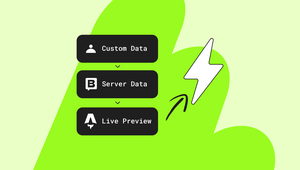
      withLivePreview() /* For real-time visual editing, add withLivePreview() to the provider configuration and use LivePreviewService to listen for updates from the Storyblok Visual Editor. Store the updated story in a signal and the template re-renders instantly, without a page reload. */
    ),
  ],
};
No more global exports or manual plugin wiring. The SDK registers the API client, component map, and live preview through Angular's provider system.
Fetching content
Before with @storyblok/js:
import { storyblokApi } from '../main';

export class HomeComponent implements OnInit {
  story: ISbStoryData | null = null;

  async ngOnInit() {
    const { data } = await storyblokApi.get('cdn/stories/home', {
      version: 'draft',
    });
    this.story = data.story;
  }
}
After with @storyblok/angular:
The Angular SDK uses the newly created @storyblok/api-clientpackage, which provides a typed, resource-based API.
// routes/home.component.ts
import { Component, inject, signal, OnInit } from '@angular/core';
import { StoryblokService, StoryblokComponent, type SbBlokData } from '@storyblok/angular';

@Component({
  selector: 'app-home',
  imports: [StoryblokComponent],
  template: `<sb-component [sbBlok]="content()" />`,
})
export class HomeComponent implements OnInit {
  private readonly storyblok = inject(StoryblokService);
  readonly content = signal<SbBlokData | null>(null);

  async ngOnInit() {
    const client = this.storyblok.getClient();
    const { data } = await client.stories.get('home', {
      query: { version: 'draft' },
    });
    this.content.set(data?.story?.content);
  }
}
The SDK is built around Angular's signals for reactive content handling. Use StoryblokService with Angular's inject() function to fetch a story, then store it in a signal.
Component rendering
With @storyblok/js, you would typically build your own rendering logic using ngSwitch or a lookup map.
Before with manual resolution:
@Component({
  template: `
    @switch (blok()?.component) {
      @case ('teaser') { <app-teaser [blok]="blok()" /> }
      @case ('feature') { <app-feature [blok]="blok()" /> }
      @default { <p>Unknown component: {{ blok()?.component }}</p> }
    }
  `,
})
export class DynamicRendererComponent {
  readonly blok = input.required<SbBlokData>();
}
After with @storyblok/angular:
Create Angular components that match your Storyblok component names. Each component receives its block data through a blok input signal.
// components/teaser.ts
import { Component, input } from '@angular/core';
import { type SbBlokData } from '@storyblok/angular';

interface TeaserBlok extends SbBlokData {
  headline?: string;
}

@Component({
  selector: 'app-teaser',
  template: `<h2>{{ blok().headline }}</h2>`,
})
export class TeaserComponent {
  readonly blok = input.required<TeaserBlok>();
}
To render nested components, import SbBlokDirective and use the [sbBlok] directive. It reads the component field from the block data, looks up the matching component from the registry configured in withStoryblokComponents(), and renders it dynamically.
// components/page.ts
import { Component, input } from '@angular/core';
import { StoryblokComponent, type SbBlokData } from '@storyblok/angular';

interface PageBlok extends SbBlokData {
  body?: SbBlokData[];
}

@Component({
  selector: 'app-page',
  imports: [StoryblokComponent],
  template: `<sb-component [sbBlok]="blok().body" />`,
})
export class PageComponent {
  readonly blok = input.required<PageBlok>();
}
The directive resolves components from the registry you configured in withStoryblokComponents(), supports lazy loading, and applies editable attributes for the Visual Editor automatically.
Live editing
With @storyblok/js, you call useStoryblokBridge() per story with the story ID and a callback.
Before with@storyblok/js:
import { useStoryblokBridge } from '@storyblok/js';

export class HomeComponent implements OnInit {
  story: ISbStoryData | null = null;

  async ngOnInit() {
    const { data } = await storyblokApi.get('cdn/stories/home', {
      version: 'draft',
    });
    this.story = data.story;

    useStoryblokBridge(data.story.id, (newStory) => {
      this.story = newStory;
    });
  }
}
After with @storyblok/angular:
import { Component, inject, linkedSignal, input, OnInit } from '@angular/core';
import { LivePreviewService, StoryblokComponent, type Story } from '@storyblok/angular';

@Component({
  imports: [StoryblokComponent],
  template: `<sb-component [sbBlok]="story().body" />`,
})

export class CatchAllComponent implements OnInit {
  private readonly livePreview = inject(LivePreviewService);

  readonly storyInput = input<Story | null>(null, { alias: 'story' });
  readonly story = linkedSignal(() => this.storyInput());

  ngOnInit() {
    this.livePreview.listen((updatedStory) => {
      this.story.set(updatedStory);
    });
  }
}
LivePreviewService handles bridge loading and runs callbacks inside Angular's NgZone so change detection works correctly. The bridge code from @storyblok/live-preview is only loaded when listen() is called. Without withLivePreview() in the provider, calling listen() throws an error in development mode.
Rich text
Before with @storyblok/js:
import { renderRichText } from '@storyblok/js';

@Component({
  template: `<div [innerHTML]="renderedHtml()"></div>`,
})
export class ArticleComponent {
  readonly richText = input<StoryblokRichTextNode>();
  readonly renderedHtml = computed(() => renderRichText(this.richText()));
}
After with @storyblok/angular:
import { SbRichTextComponent, type StoryblokRichTextJson } from '@storyblok/angular';

@Component({
  imports: [SbRichTextComponent],
  template: `<sb-rich-text [sbDocument]="content()" />`,
})
export class ArticleComponent {
  readonly content = input<StoryblokRichTextJson>();
}
SbRichTextComponent renders directly to the DOM instead of returning an HTML string. You can also fully customize how any node or mark renders by providing your own Angular components.
Learn more about rendering rich text here.
What's next?
Read the full guide to successfully integrate Angular with Storyblok.
Feedback and contributions are vital to improving @storyblok/angular. Open an issue or contribute directly to the project.