

Multi-Space Orchestration
Multi-space orchestration lets you synchronize content across multiple spaces in your organization.
The main feature, content distribution, is a way to duplicate a story across connected spaces, and keep those duplicates up-to-date with overwrite and merge actions.
First, open Organization → Settings → Content Distribution and select connected spaces. Distribution is only supported in spaces within the same region.
Next, add a source space. Depending on your setup, this space can be the single source of truth or serve as both a source and a target:
- A single source of truth: the source space can only push stories to one or more target spaces, but never receives content from them.
- A source and a target: the source space has a dual function—it can push stories in one configuration while receiving stories from other source spaces in a second configuration.
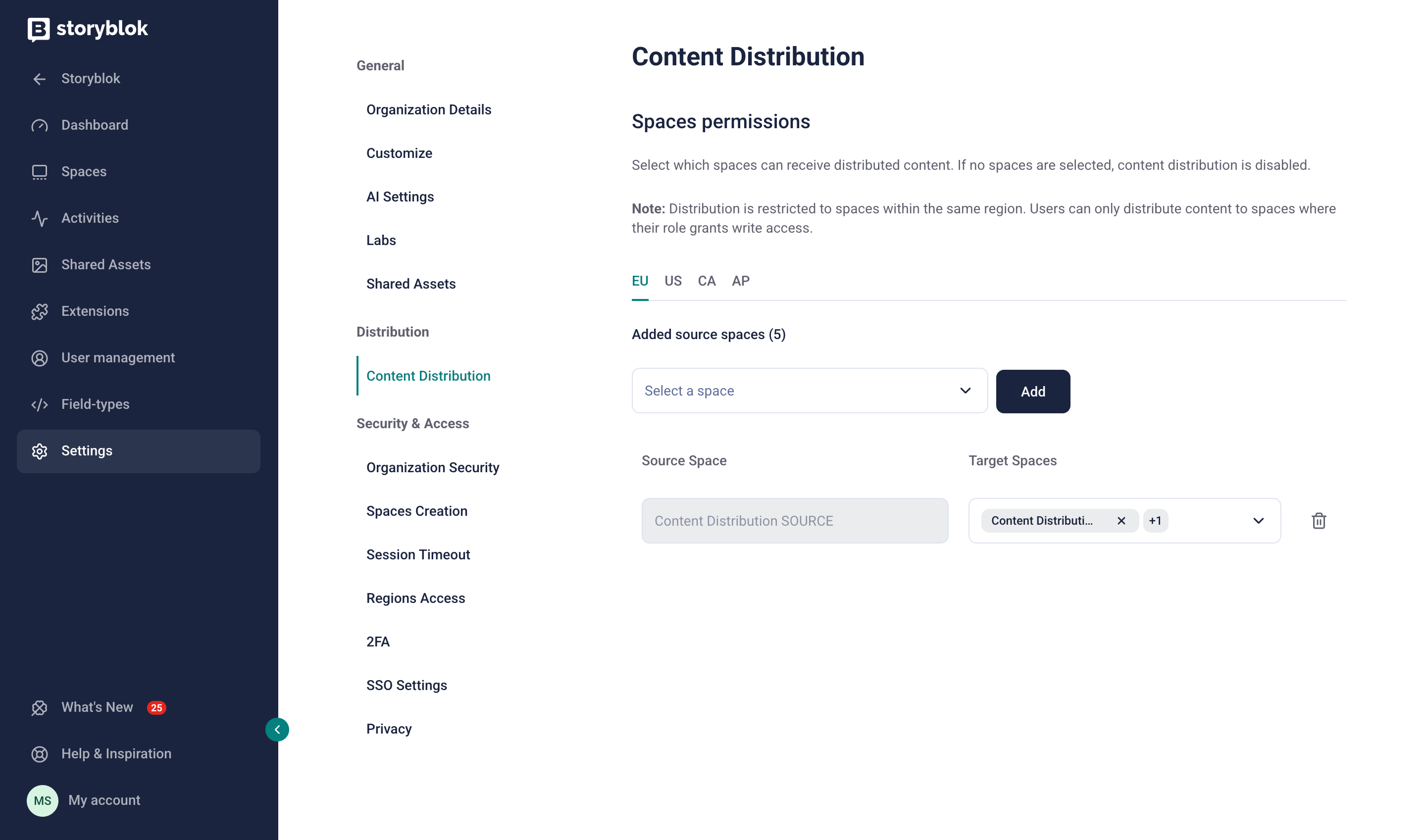
A source space configured to distribute content to two target spaces
A source space configured to distribute content to two target spaces
Connected spaces must use the same block structures and definitions. To share these components across multiple spaces, install the Shared Components app, or use the @storyblok/schema package.
Manage distributed stories
Section titled “Manage distributed stories”In the source space, open a story in the Visual Editor, and select the Distribute section in the left toolbar. The list includes all versions of the story that exist in target spaces, and their publication status.
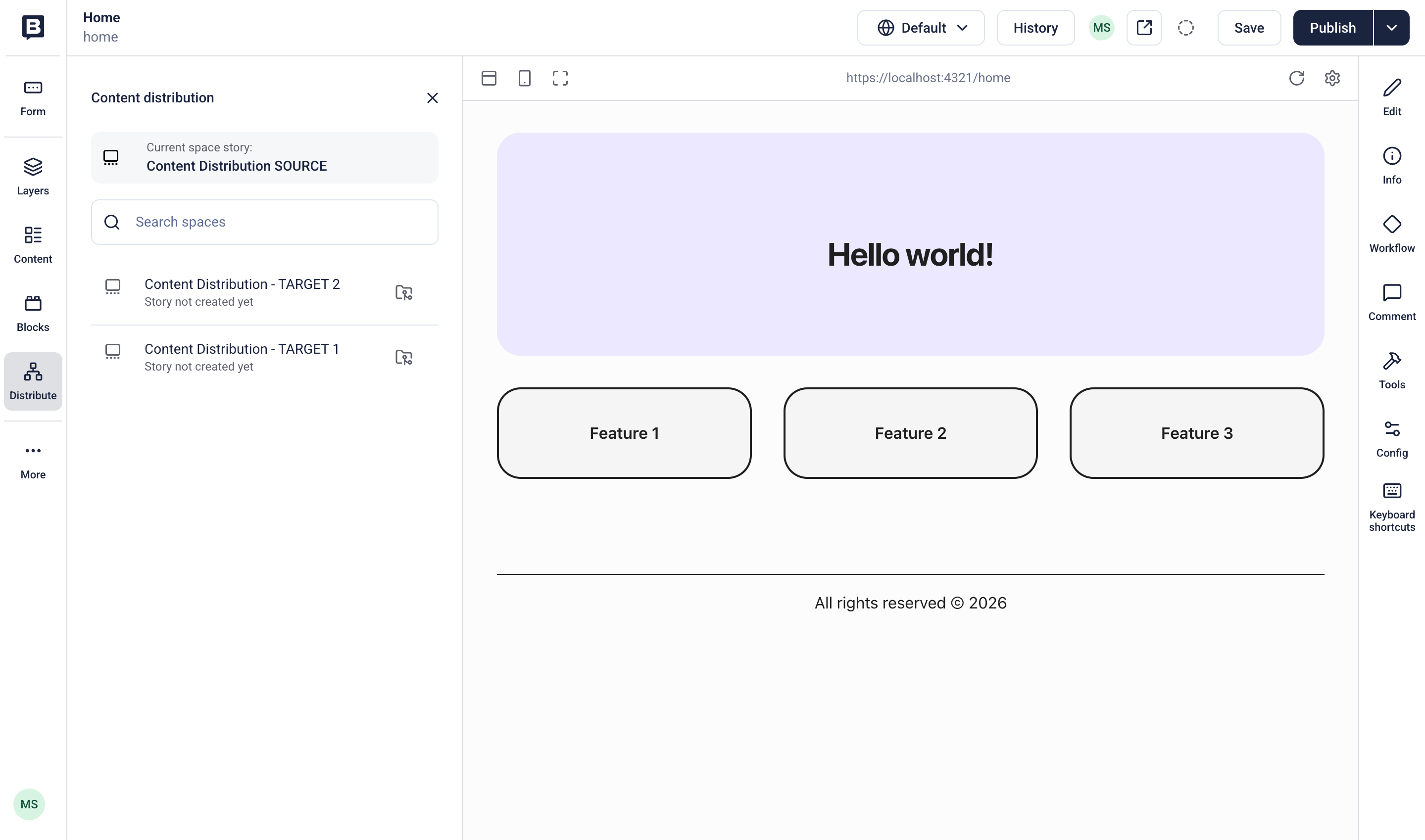
The Distribute section in the Visual Editor
To duplicate, overwrite, or merge stories, you must have permission to create and edit content in both the source and target spaces.
To duplicate a story in a target space, select Clone. Storyblok creates the new story in the target space, also creating the same relative folder path if one doesn’t already exist. The source and cloned stories are automatically associated with one another.
To edit a duplicate story, select it from the list and open it in a new browser tab. Make independent content changes in the target space.
To replace the target story’s structure with that of the source story, open the source story, and select Merge. The merge action updates only blocks fields, preserving the target story’s existing content.
Overwrite
Section titled “Overwrite”To replace the target story’s structure and entire content with that of the source story, select Overwrite.
Troubleshoot
Section titled “Troubleshoot”- Existing stories: the Clone action fails if a story with the same slug already exists in the target space. In the target space, delete or move the existing story before attempting to clone.
- Shared assets: the Clone action doesn’t apply to assets; it preserves references to the original asset in the source space. When using shared asset libraries, ensure that the target space has access to the same shared asset library as the source space.
- Internal links: the Overwrite action only updates internal links and references if you cloned the relevant stories beforehand. To prevent broken links, manually review and update internal links and references in the target space’s version.
Further resources
Section titled “Further resources”Was this page helpful?
This site uses reCAPTCHA and Google's Privacy Policy (opens in a new window).Terms of Service (opens in a new window) apply.
Get in touch with the Storyblok community