

Accessibility checker
The Accessibility checker audits a page in the Visual Editor to ensure conformance with the Web Content Accessibility Guidelines (WCAG). The tool lists violations, warnings, and passed checks and lets editors fix relevant findings in the corresponding fields and blocks.
Before you start
Section titled “Before you start”To use the Accessibility checker, a developer must install and enable Storyblok’s accessibility checker JavaScript library.
Check a story
Section titled “Check a story”To check a story, open it, select A11Y from the right toolbar, and choose Check story.
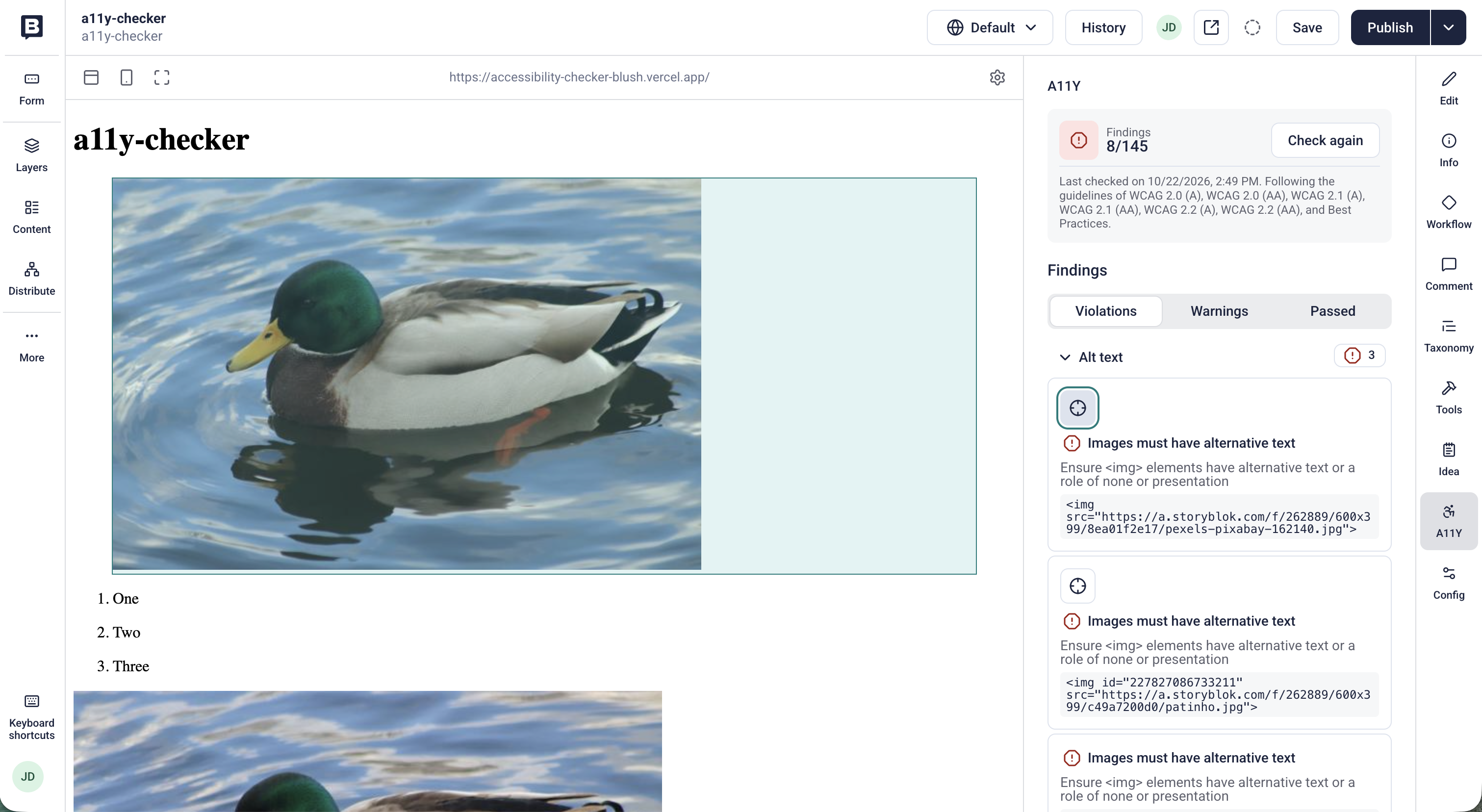
The Accessibility checker lists all findings and highlights the ones you can fix in the Visual Editor.
By default, the checker tests conformance with WCAG 2.0 (A)-WCAG 2.2 (AA). Developers can set different versions and levels.
Review the results
Section titled “Review the results”The checker divides findings into three categories:
- Violations: automated findings that fail to meet WCAG’s criteria. Each violation includes a short summary of the issue and a code snippet of the affected element.
- Warnings: issues that need a manual check.
- Passed: every check that the page passed. Use this list to review what the checker tested.
Within each category, the checker groups results by topic:
- Aria
- Alt text
- Color
- Forms
- Keyboard
- Language
- Name, role, value
- Semantics
- Sensory and visual cues
- Structure
- Tables
Fix issues in the Visual Editor
Section titled “Fix issues in the Visual Editor”Editors may not be able to fix all accessibility violations, but those that originate from the story’s content are highlighted in the Visual Editor. To fix these content violations, select highlight block next to the violation.
The Visual Editor highlights the relevant block on the page.
- Choose the block to open it in the Edit section.
- Update the field and save the story.
- Run the check again to confirm the fix.
Share the rest of the findings with your developer.
Was this page helpful?
This site uses reCAPTCHA and Google's Privacy Policy (opens in a new window).Terms of Service (opens in a new window) apply.
Get in touch with the Storyblok community