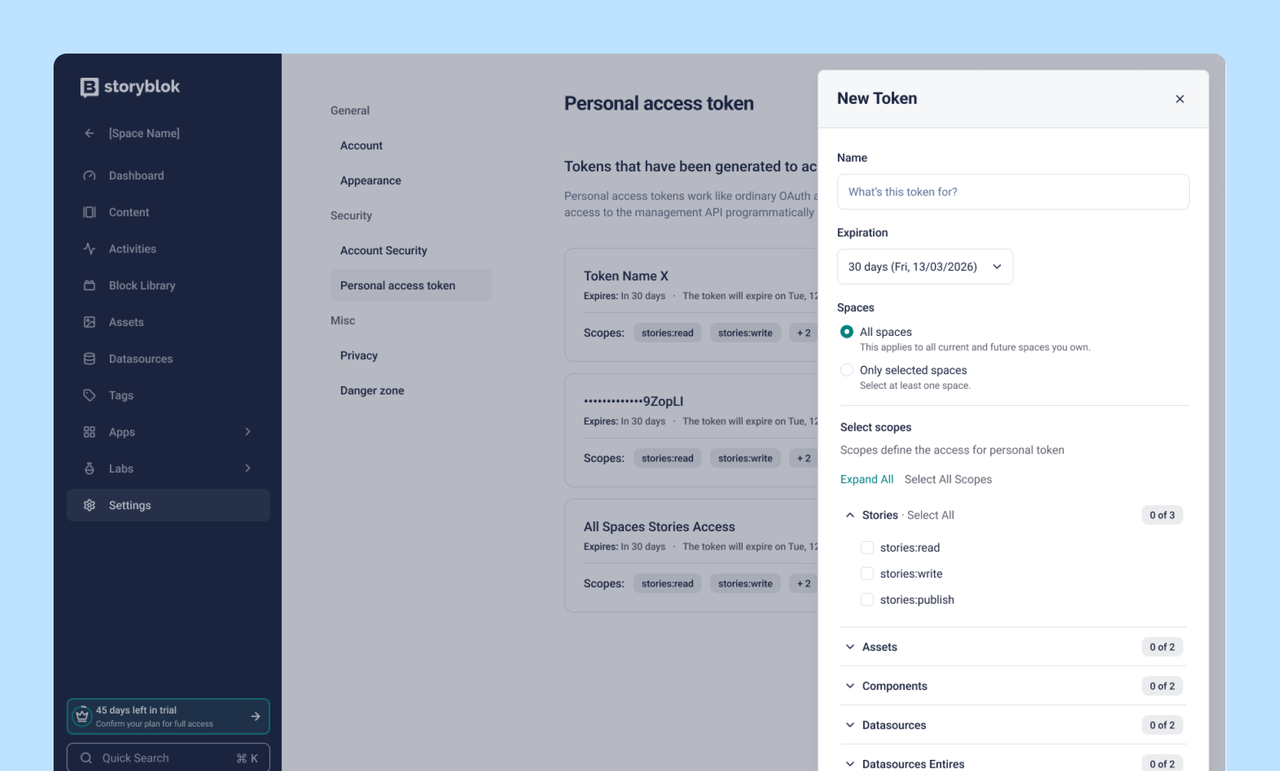
When you create a token, you choose which scopes it can use (stories, assets, components, webhooks, and more) on a read-write-publish hierarchy, and whether it applies to all spaces or only specific ones. Endpoints outside the standard content scopes — organization management, billing, SSO, user management, and others — are blocked by default.
Until now, every personal access token had full read-write access to every space the user owned. A token built for a CI pipeline that publishes stories in one space could also delete components in any other space, change billing, or touch user management. The same risk applies to AI assistants calling the Management API through the Storyblok MCP server. Scoped tokens limit the blast radius of a compromised, leaked, or prompt-injected token. Existing unscoped tokens enter a six-month transition period and will be revoked on 30.11.2026.
Key Benefits:
- Limit each token to only the scopes and spaces it actually needs
- Endpoints like organization, billing, SSO, and user management are blocked by default
- Reduce the blast radius of a compromised or leaked token
- Tighter control over AI assistants and MCP server integrations
- Token rotation is explicit and audit-friendly — change scopes by revoking and creating a new token